
Intended audience: users
AO Easy Answers: 4.5
Overview
The Dashboards page contains one or more Personal or Public Dashboards. A Dashboard is a collection of Apps that can be organized into Sections and App Groups. Filters can be configured and applied at the Dashboard, Section, and/or App level. Apps can be added to a Dashboard from the Easy Answers Results page, or Custom Apps (created in the UI/App Composer) can be added from the Dashboard page directly. This topic provides an overview of the many options to manage Dashboards.
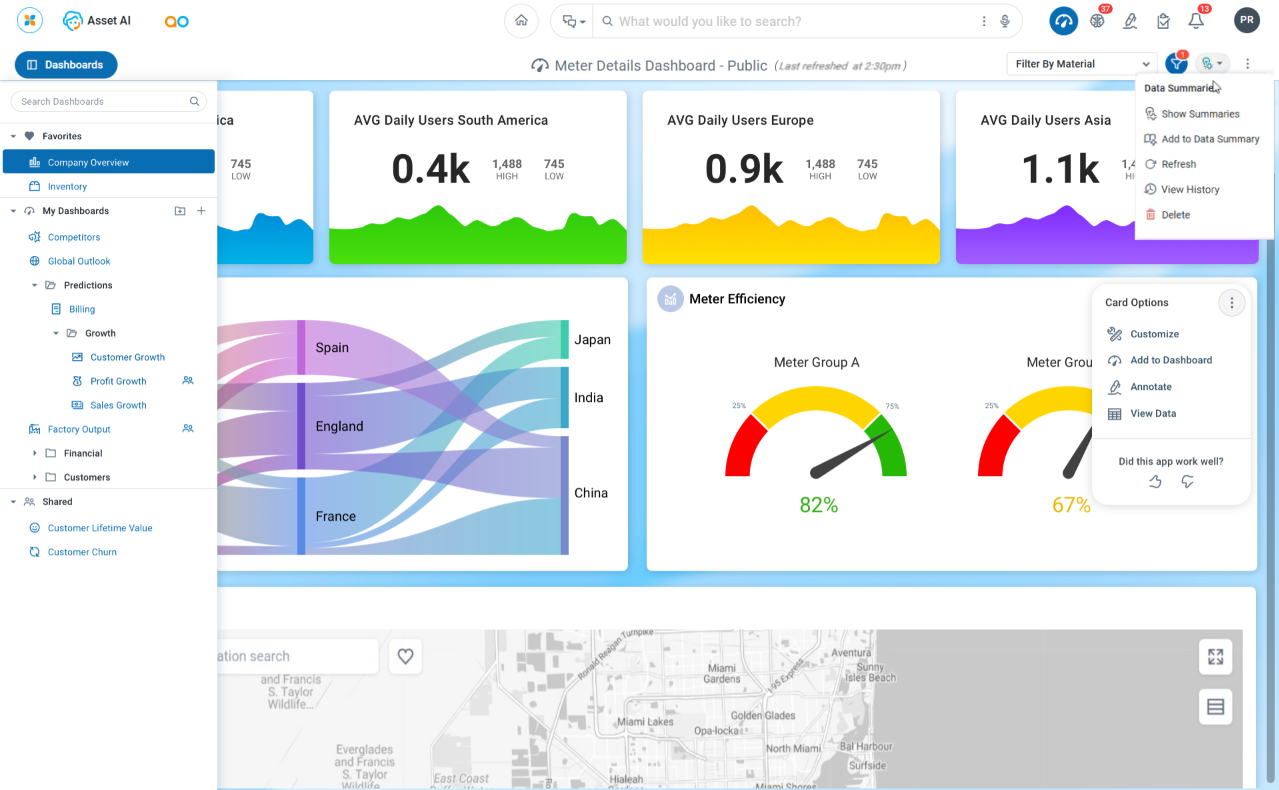
User Options
In Dashboard Header
-
Dashboards - opens the slideout panel that shows all Dashboards available to the user. See Dashboards Panel.
-
Filter Views - see Viewing and Applying Filters.
-
Show/Hide Filters - see Viewing and Applying Filters.
-
Data Summaries - see Adding Data Summaries.
-
Dashboard Options - shows available options for the Dashboards page. See Dashboards Options Menu.
-
Filter Row - see Viewing and Applying Filters.
In Section Header
-
Section Options - shows available options for Sections, if available, in a Dashboard. See Section Options Menu.
-
Filter Row - see Viewing and Applying Filters.
In App Header
-
App Options - shows available options for Apps in a Dashboard. See App Options Menu.
No Dashboards or No Apps on Dashboard
-
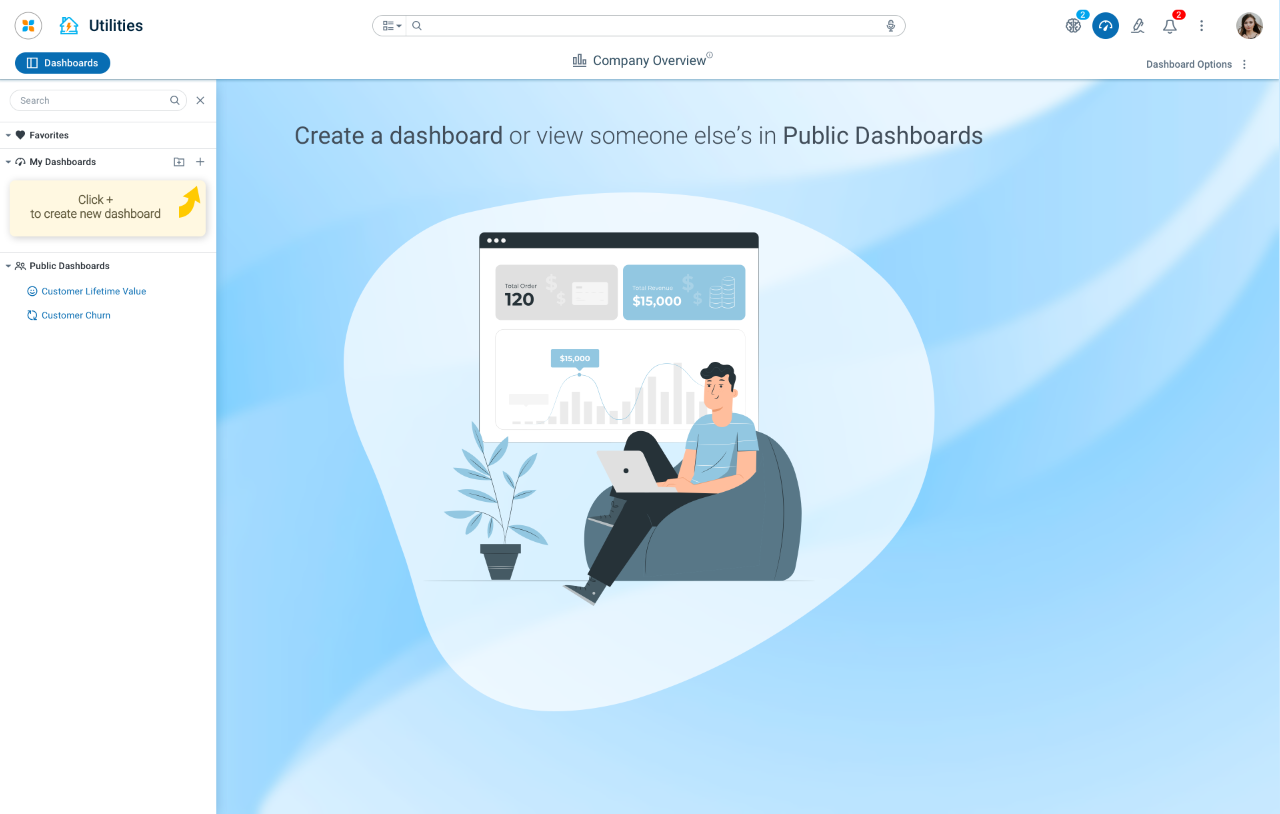
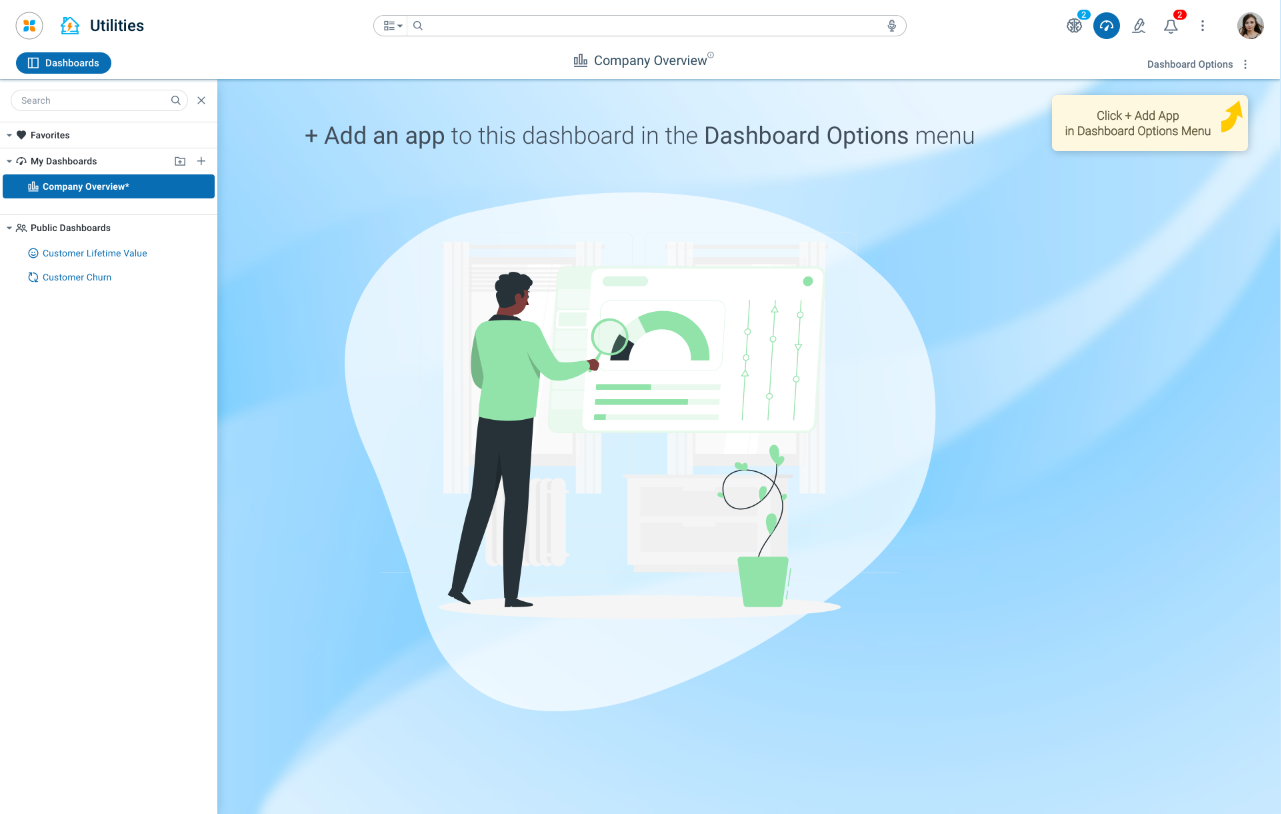
If no Dashboards or Apps on a Dashboard have been created when the user selects the Dashboard page, then the following screens will appear.
|
No Dashboards |
No Apps on Dashboard |
|---|---|
|
|
Contact App Orchid | Disclaimer