
Intended audience: end-users developers
AO Easy Answers: 4.4
Overview
The Easy Answers' View Semantic SQL option is in the Natural Language Question Options menu. Select it to edit the Semantic SQL and/or add synonyms in Annotation Mode.
Annotating the National Language Question - Adding Synonym(s)
Annotating unknown words in a question allows the user to add words that are not recognized by the system as synonyms for some property or data value that is known by the system. An example could be that the data contains the words “male” and “female”, whereas the user’s NLP query contains the words “men” or “women”, eg, “show the population of men over 50 years old”. The word “men” would not be known until added as a synonym for “male”.
The Annotate functionality is available in different areas of the Easy Answers solution. When selected, the Add Synonym dialog opens:
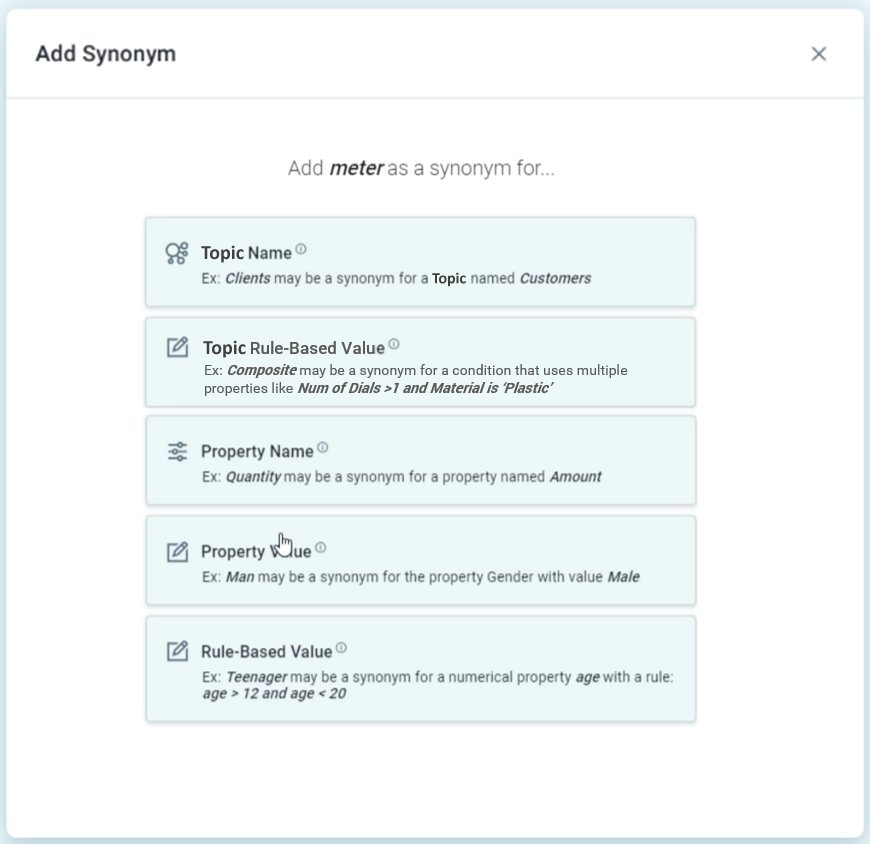
There are five synonym options to select from:
-
Topic Name - select this if the word represents an alternative word for an existing Topic Name.
-
Example:
Clientsmay be a synonym for a topic namedCustomers.
-
-
Topic Rule-Based Value - select this if the word represents an alternative word for a rule-based Topic Name.
-
Example:
Compositemay be a synonym for a condition that uses multiple properties likeNum of Dials>1 and Material is 'Plastic'.
-
-
Property Name - select this if the word represents an alternative word for an existing Property Name.
-
Example:
Quantitymay be a synonym for a property namedAmount.
-
-
Property Value - select this if the word represents an alternative word for an existing Property Value.
-
Example:
Manmay be a synonym for the propertyGenderwith a valueMale.
-
-
Rule-Based Value - select this if the word represents an alternative word for a rule-based Property Value.
-
Example:
Teenagermay be a synonym of a numerical propertyAgewith a rule:Age > 12 and Age < 20.
-
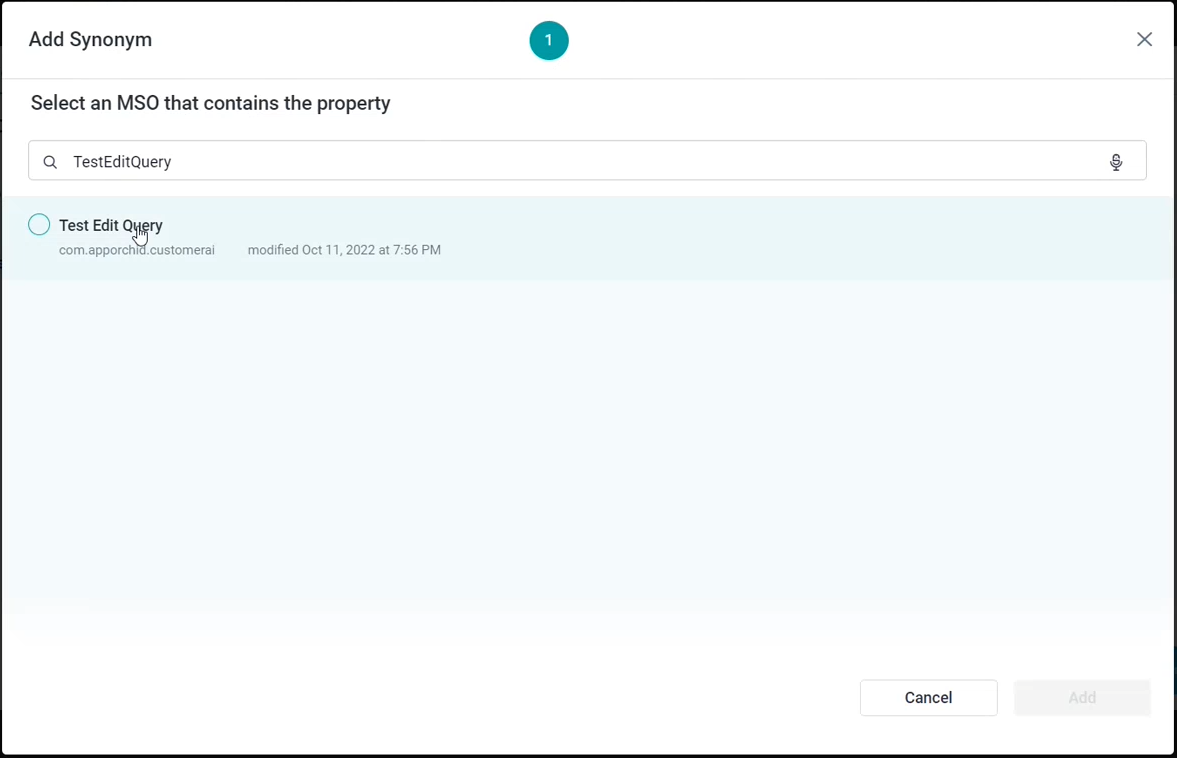
The subsequent steps will be related to the above choice:
-
Select an MSO Name for which the selected word will be added as a synonym.
-
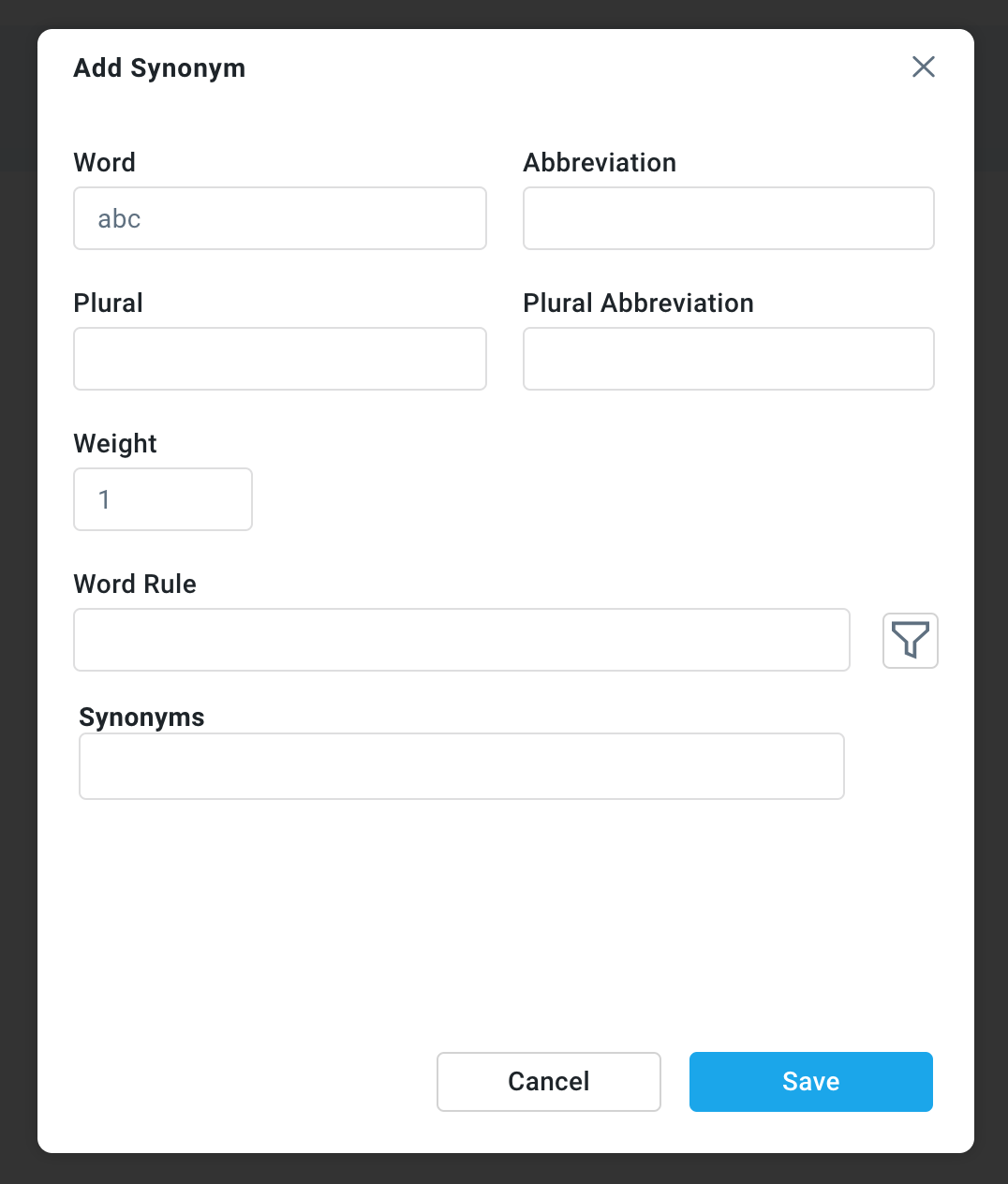
Select an MSO Name for which the selected word will be associated, then add a Word Rule.
-
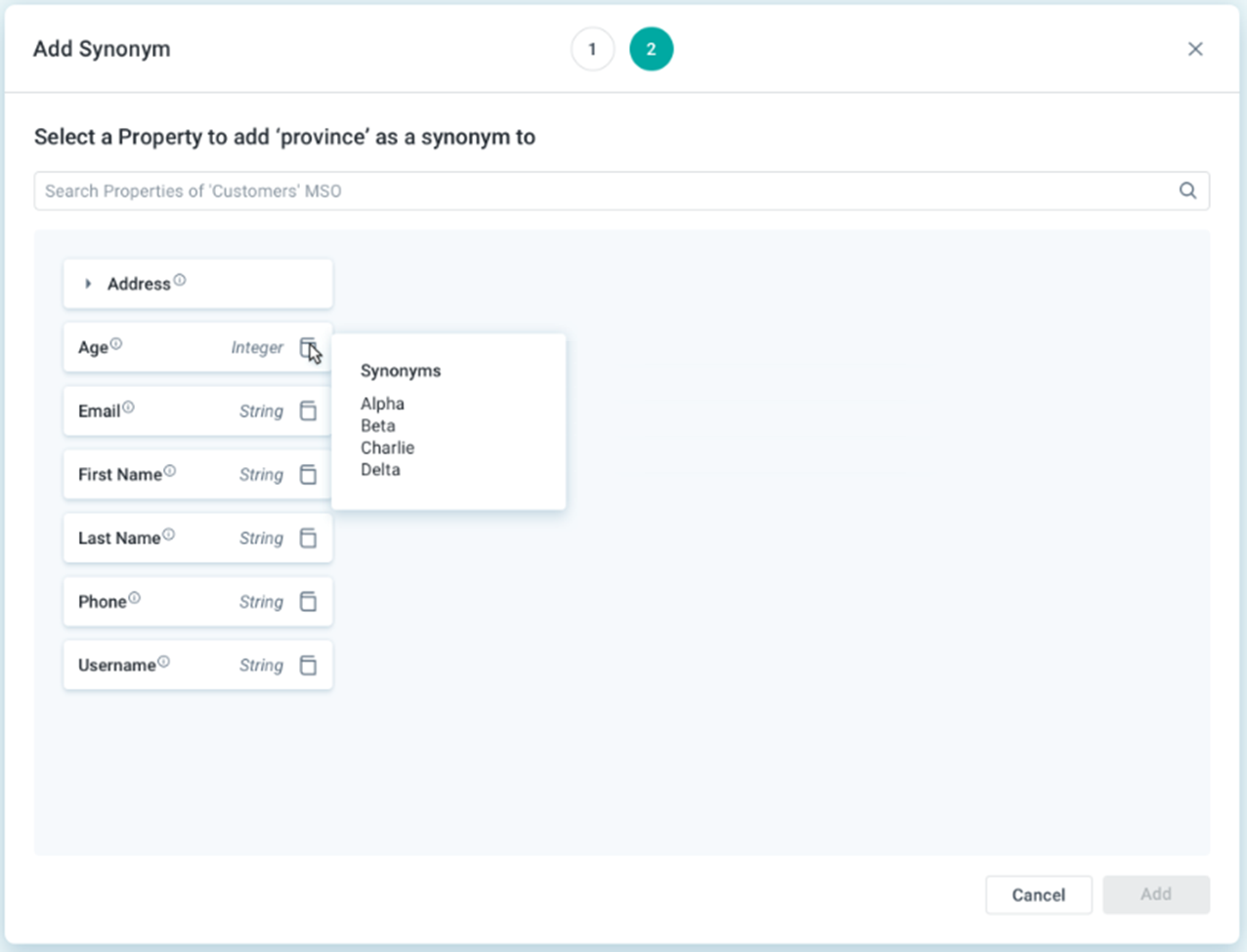
Select an MSO Name, then a Property Name for which the selected word will be added as a synonym.
-
Select an MSO Name, then a Property Name, and thirdly a Property Value for which the selected word will be added as a synonym. If no Property Values are displayed, then the selected word can either be added as a Value and/or user can choose to import existing Values from data source.
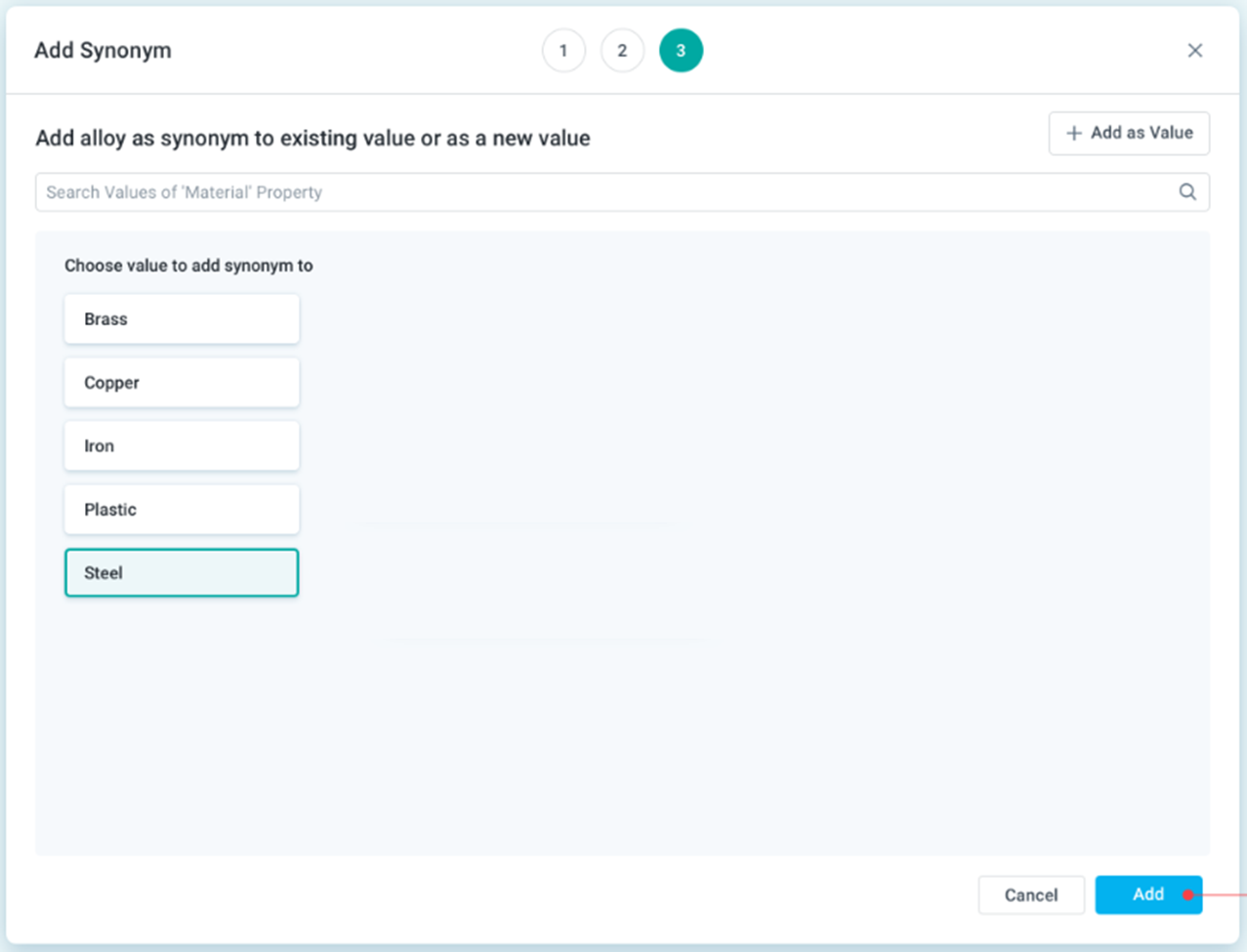
-
Select an MSO Name, then a Property Name, and thirdly create one or more Criteria (Word Rule) Using Query Builder for which the selected word will be added as a synonym.
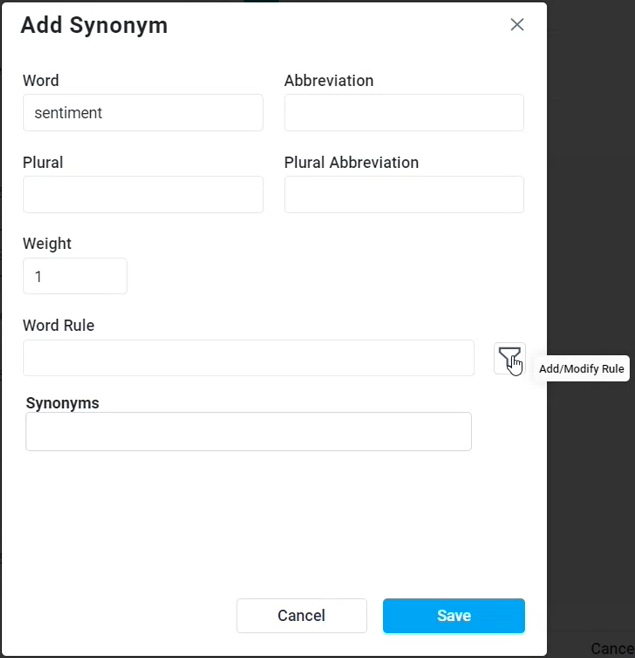
Reviewing Annotations
All Annotations created will automatically be added to the list of items to be reviewed by a manager/supervisor. See Reviewing Feedback and Annotations. Users with elevated Admin permissions will have their new Synonyms auto-confirmed without further review.
Contact App Orchid | Disclaimer