
Intended audience: end-users developers
AO Easy Answers: 4.5
Overview
This option allows the user to Refresh App Configurations for either Selected Apps or All Apps in the current Dashboard. Apps can be a combination of Micro Apps (configured in the MSO Composer > Curations page), Apps from Traits (configured in the MSO Composer > Traits), and Custom Apps (configured in the App Composer). Only users with granted permissions will be able see and run this process.
When the Select Apps button is clicked, a dialog opens to select any App available on the Dashboard from any Sections (if available).
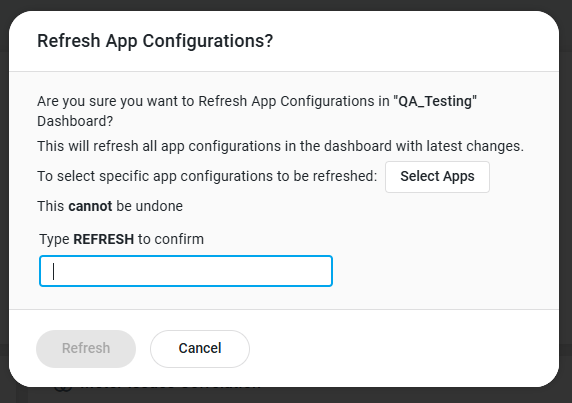
The Refresh process is carried out as a background task. If the Dashboard having App configuration refreshed is still open during the process, it will automatically refresh all Apps with updated data when the process has completed.
The background task will automatically notify users during the process, something like this:
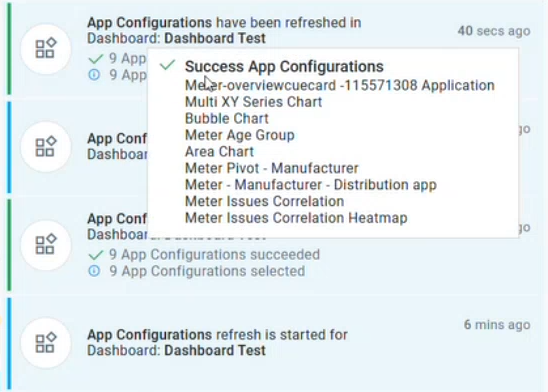
This functionality is aimed at solution developers who, during an implementation, may need to update Apps on Dashboard due to new and updated configurations for MicroApps or Custom Apps in the Composers in the AO Platform.
The Apps in a Dashboard will be refreshed based on their internal app_id.
Contact App Orchid | Disclaimer