
Intended audience: end-users developers
AO Easy Answers: 4.5
Overview
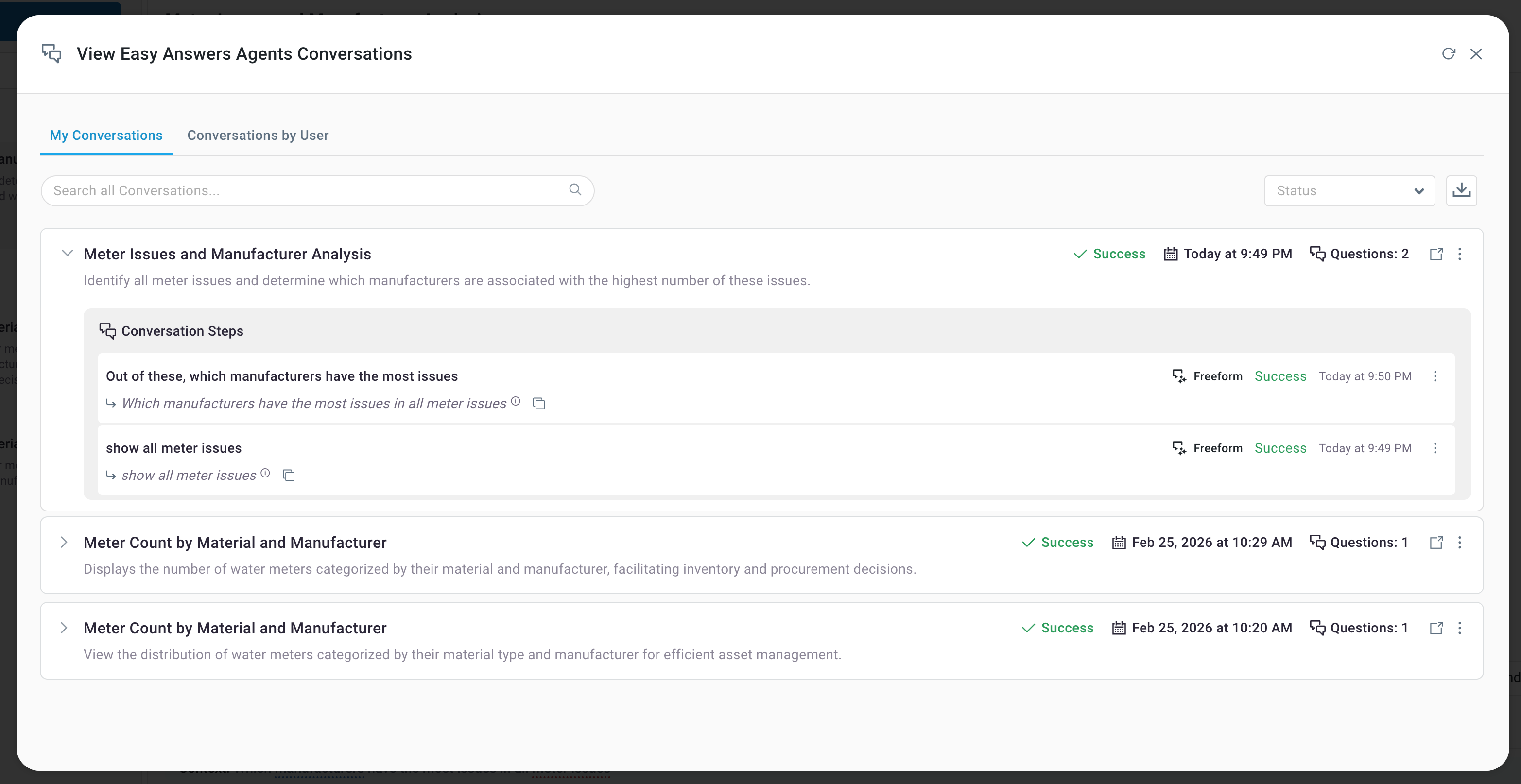
The Easy Answers' View All Agent History option is available in the Options menu and is specific to LLM-based questions when using the Easy Answers Agent. When selected, it allows users to inspect the details of each unique Easy Answers question grouped by the Agent Conversations, with some additional status and statistics.
View Easy Answers Agent Conversations Dialog
The View All History dialog includes 4 tabs:
-
My Questions - as the label says, the unique questions on this tab are specific to the current user.
-
Questions by User - the unique questions on this tab are for all users.
The following Filters are available - dependent on what is shown on tabs:
-
User - select from the dropdown which questions to include from the available Users.
-
Status - select from the dropdown which questions to include. Only shows the last status for Federated Data questions: Completed, Failed, Running
All Agent Questions
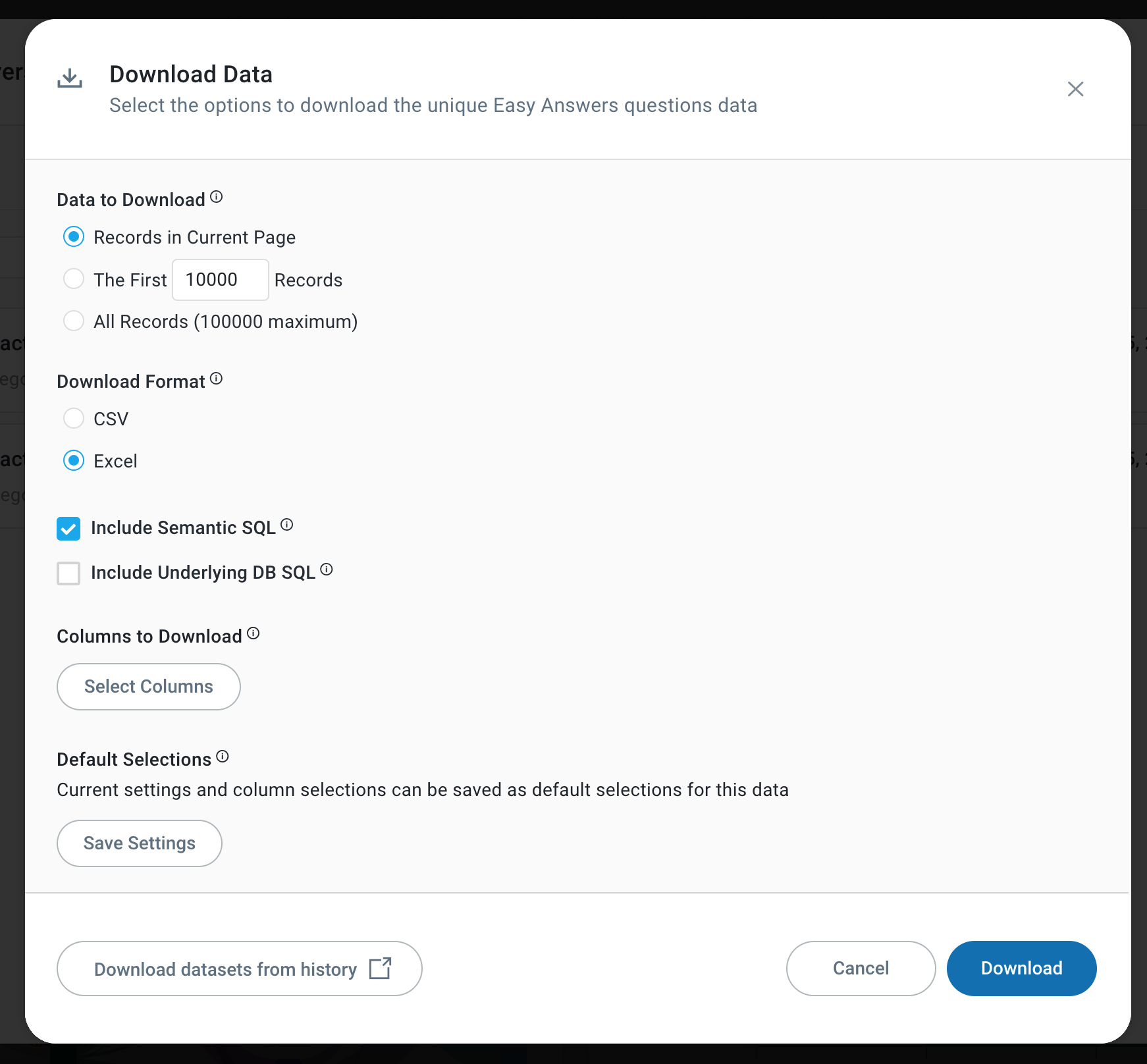
Download Questions
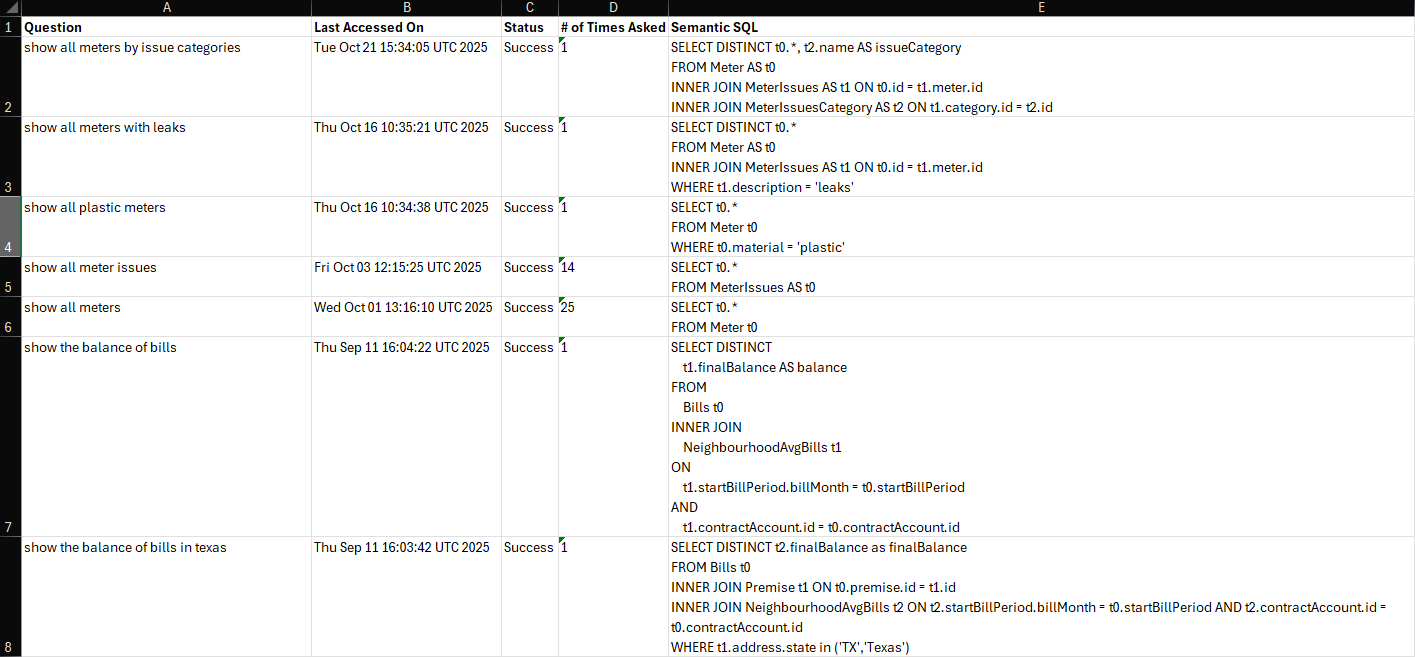
This option is available for all tabs and allows data to be downloaded to a Comma-Separated Value (.csv) or an Excel file. The download contains the following columns:
-
Question - the Natural Language Question asked by the user.
-
Last Accessed On - timestamp for when the question was last asked.
-
Status - the status of the execution of the question: Success or Failure.
-
# of Times Asked - the number of times the question has been asked.
-
Include Semantic SQL - the SQL query that is composed by the AI to reflect the question asked by the user.
-
Include Underlying SQL - the SQL query that is sent to the underlying database data source.
Download Data dialog with Include Semantic SQL and Include Underlying SQL options
Output from download with “Include Semantic SQL” option checked.
Contact App Orchid | Disclaimer