
Intended audience: users
AO Easy Answers: 4.3
Overview
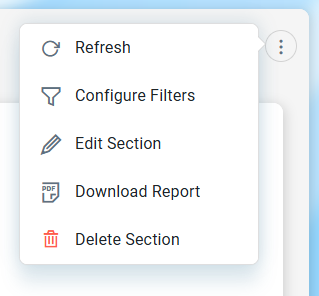
The Section Options Menu includes the following options.
-
Refresh - refreshes all apps on the dashboard.
-
Configure Filters - opens a dialog to allow the user to configure page-level Filters and the Apps these Filters will impact. See Configure Filters.
-
Edit Section - opens a dialog with basic configuration options for the current dashboard. See Create and Edit a Dashboard.
-
Download Report - shows a dialog allowing users to download the Dashboard page. See Download Report and Schedule Report Download.
-
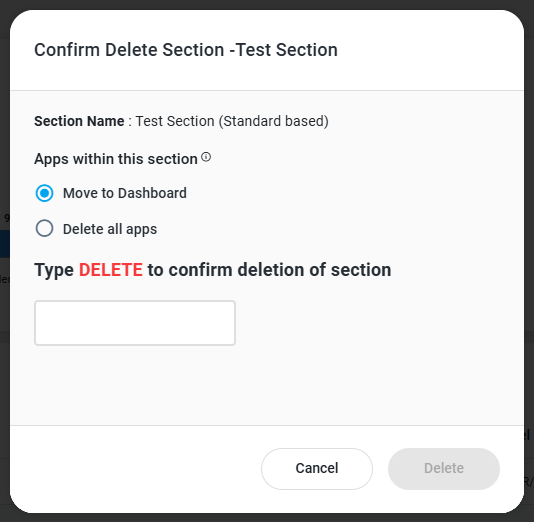
Delete Section - shows a confirmation dialog before deleting the Section, allowing users the choice of either moving Apps within the Section to the Dashboard level, or to delete Apps within the Section.
Contact App Orchid | Disclaimer